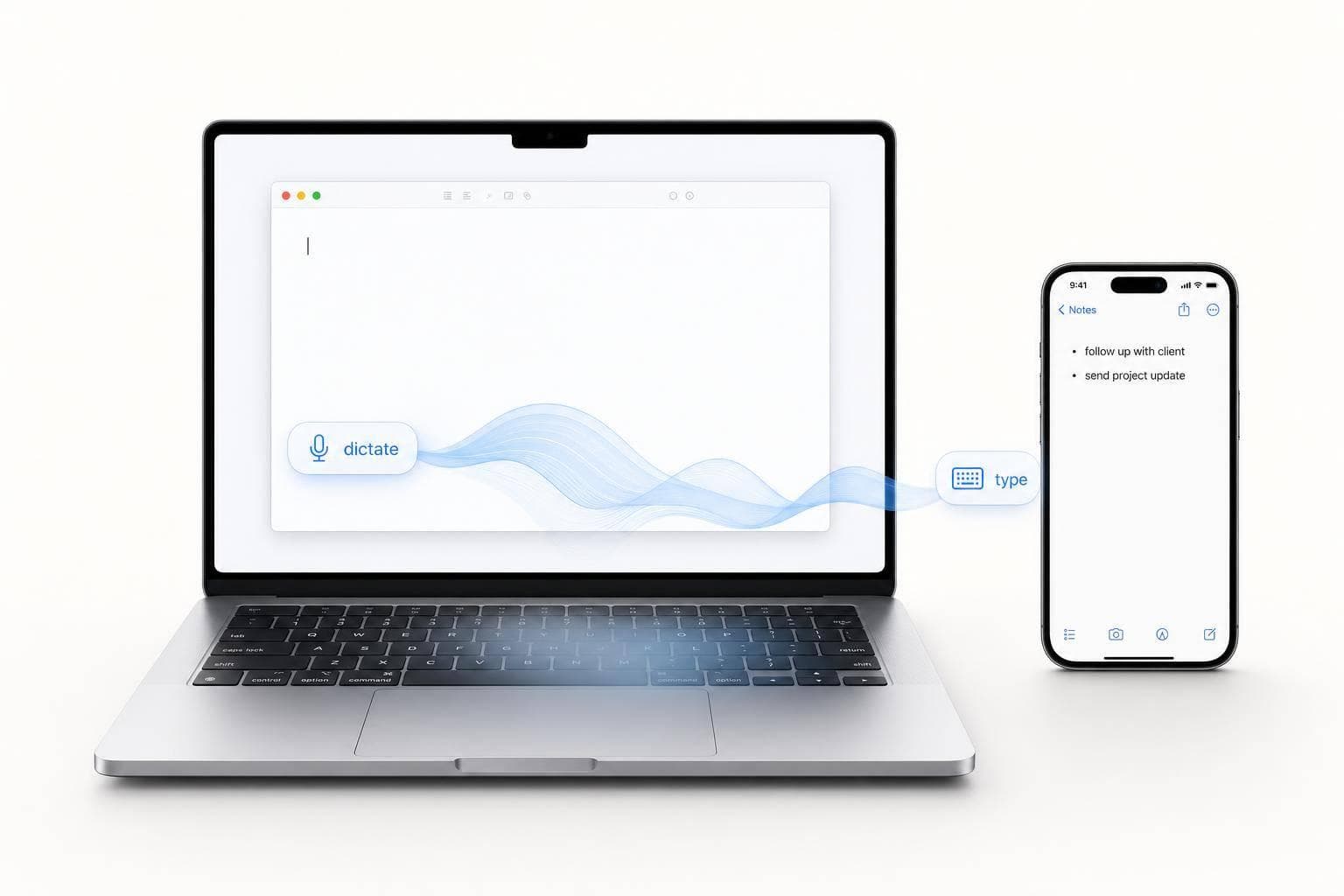
Voice Dictation vs Typing: Which Is Faster for Work?
If I want the short answer: voice is often faster for long drafts, and typing is often faster for short, exact work.
Here’s the simple version:
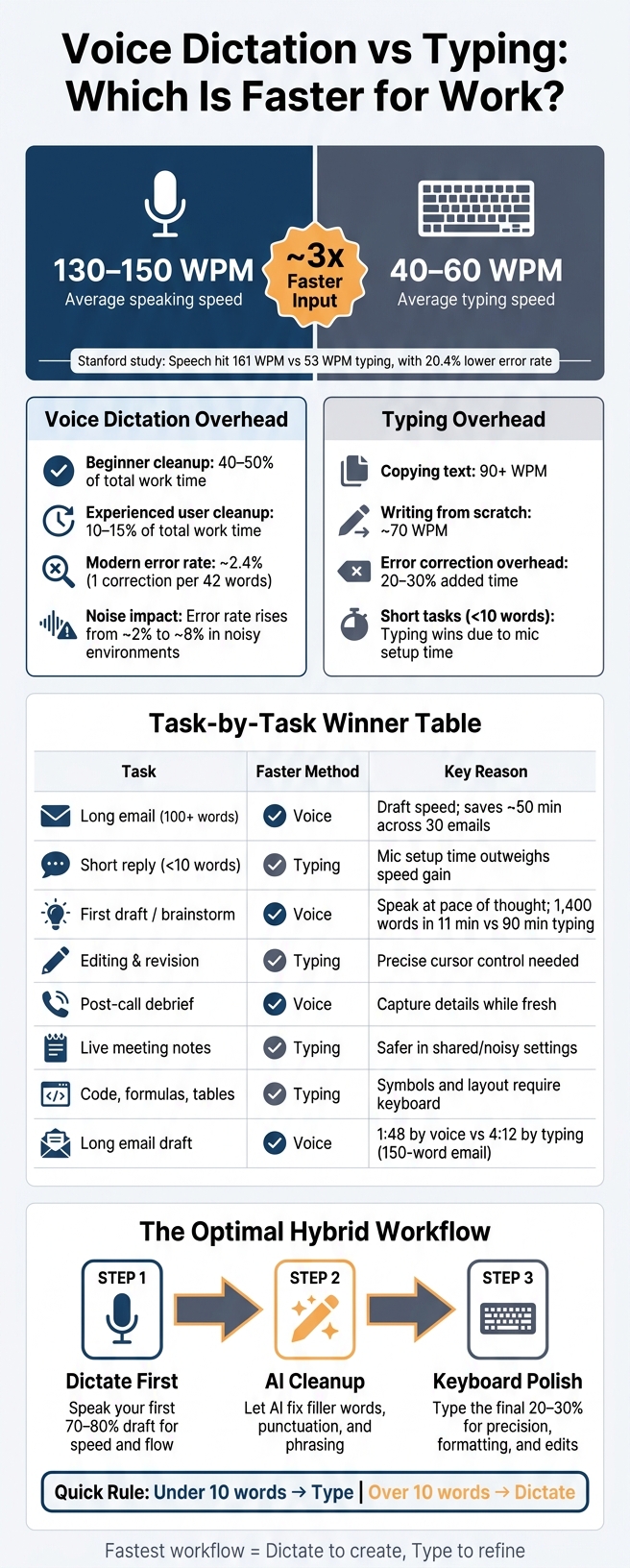
- I can usually speak at 130–150 words per minute
- I usually type at 40–60 words per minute
- But finished work depends on editing time, errors, setup time, and where I’m working
- Voice tends to win for brainstorming, first drafts, long emails, and post-call recaps
- Typing tends to win for short replies, live notes, code, tables, links, and private work
- For many people, the fastest setup is dictate first, then edit by keyboard
This means raw words-per-minute numbers don’t tell the whole story. A spoken draft may come out about 3x faster at input, but cleanup can take 10% to 50% of the total time, depending on the tool and the user.
Voice Dictation vs Typing: Speed, Accuracy & Best Use Cases
Is Speaking 3x Faster Than Typing? Debunking the Productivity Claim
sbb-itb-b6fe06e
Quick Comparison
| Work task | Usually faster | Why |
|---|---|---|
| Long email | Voice | Gets the draft out fast |
| Short reply | Typing | No mic setup or wait time |
| Brainstorming | Voice | Keeps ideas moving |
| First draft | Voice | Better for long, open writing |
| Editing | Typing | Better control |
| Live meeting notes | Typing | Safer in shared or noisy settings |
| Post-meeting recap | Voice | Fast while details are still in my head |
| Code, formulas, tables | Typing | Better for symbols and layout |
My takeaway: if I’m writing more than a few words and I need a first draft fast, I’d use voice. If I need control, privacy, or exact formatting, I’d type. And if I want the best mix of speed and quality, I’d use both.
Voice Dictation vs Typing: The Numbers
Typing Speed, Speaking Speed, and Actual Output
Voice wins on raw speed. Most professionals speak at about 150 WPM and type at about 40 to 52 WPM, so dictation starts with a clear edge before any editing begins.
The gap shows up in research too. In one Stanford study, speech input hit about 161 WPM, while mobile typing reached 53 WPM. That’s about 3x faster, with a 20.4% lower error rate in English.
But raw input speed and finished output are not the same thing. Once you factor in corrections and cleanup, the picture shifts. Skilled keyboard typists average about 58 WPM net speed, while experienced voice users can reach about 130 WPM net. So yes, voice is fast. But the draft still has to survive editing.
In plain English: voice tends to win for long drafts, while typing still has the edge for short, exact edits.
The Hidden Time Costs: Edits, Errors, and Mode Switching
Every input method has drag that a simple WPM stat doesn’t show.
With dictation, the big cost is correction time. You’re not just fixing transcription mistakes. You’re also cleaning up filler words, missed punctuation, and awkward phrasing that sounded fine out loud but looks clunky on the page. For beginners, or when the speech model is less accurate, that cleanup can eat up 40–50% of total work time. At that point, dictation can end up slower than typing. With a strong model and some practice, that overhead can fall to about 10–15%.
That improvement matters. Modern speech models can get down to a 2.4% word error rate, or about 1 correction for every 42 words. That’s a big shift from the old days, when voice tools felt like more trouble than they were worth.
Typing has its own hidden cost. Drafting original work is slower than copying because you’re doing two jobs at once: thinking and writing. A fast typist might hit 90+ WPM when copying text, then drop to around 70 WPM when writing something from scratch. On top of that, keyboard error correction adds about 20–30% overhead.
For very short tasks, typing usually comes out ahead. If the job is under 10 words, the time it takes to turn on dictation can wipe out any speed gain from speaking.
So the winner isn’t picked by raw speed alone. Task type changes the result.
When Each Method Is Actually Faster
When Voice Dictation Is Usually Faster
Once you factor in editing, voice is usually faster for open-ended work. That includes brainstorming, first drafts, post-meeting debriefs, and long emails. The main slowdown in those cases usually isn't your fingers. It's your thinking. Dictation helps you keep moving, so the first draft comes out in one steady pass.
A 2026 controlled experiment found that a 150-word email took 1:48 by voice versus 4:12 by typing. Washington research also found that dictation plus editing was faster than keyboard drafting for long-form work.
For drafts above about 200 words, dictation usually comes out ahead.
When Typing Is Usually Faster or Safer
Typing tends to win on short, structured, or symbol-heavy work. If you're sending a reply under 10 words, the setup time for dictation can wipe out the speed gain. The keyboard also works better for code, formulas, and tables, where symbols and layout need to be exact.
Your setting matters too. In a noisy room or a public place, dictating out loud can feel awkward or just not work well. Noise can push dictation error rates from about 2% to 8%. And when privacy is a concern, typing is usually the safer pick.
Here's the fastest method by task.
| Task | Best Method | Key Reason |
|---|---|---|
| Long drafts | Voice | Faster output and better flow |
| Short replies | Typing | Dictation startup time outweighs the speed gain |
| Structured work (code, formulas, tables) | Typing | Symbols and structure are easier to enter by keyboard |
Why Many Professionals Work Fastest Using Both
For most people, the fastest setup is a mix of both. One common workflow is to dictate the first 70–80% of a draft to get the main ideas out fast, then switch to the keyboard for the final 20–30%. That's the part where you polish sentences, fix formatting, and make exact edits.
This split makes sense. Voice is good at getting raw material onto the page. The keyboard is better for detail work, especially when cursor control and exact character placement matter. Try to dictate a table, or type your way through a long first draft, and you'll often lose time for no good reason.
Next comes the task-by-task breakdown: emails, meeting notes, brainstorming, and first drafts.
Head-to-Head: Voice vs Typing Across Common Work Tasks
The pattern shifts based on the job in front of you: voice is better for getting ideas out fast, while typing is better when you need control.
Emails and Messages: Long Drafts vs Short Replies
For long emails, voice usually has the edge. A 100-word email takes about 40 seconds to dictate and about 2.5 minutes to type, which adds up to roughly 50 minutes saved across 30 emails. That’s why long drafts tend to lean toward voice, while short replies tend to lean toward typing.
Short replies work differently. If your message is under 10 words, the time spent turning on your mic and waiting for processing often wipes out the speed gain. In that case, typing is usually the better move.
It also makes sense to type private or highly precise messages.
Meeting Notes and Debriefs: Live Capture vs Post-Call Recap
Typing during a meeting is still the safer option when you need to capture things live, especially in shared meetings or noisy rooms. Live notes reward control. Post-call recaps reward speed.
That’s why post-call dictation is often the better play when live capture isn’t needed. Instead of taking notes the whole time, you can dictate a quick recap right after the call. That helps you record action items, decisions, and key context while it’s all still fresh.
If you can’t debrief right away, live typing is the more dependable fallback.
Brainstorming and First Drafts: Idea Output vs Structured Revision
Voice is fastest for idea generation. Typing is fastest for revision. Dictation works well for brainstorming because it lets you get thoughts down at the pace of speech.
One example: a 1,400-word post was drafted in 11 minutes by dictation and polished in 20 minutes by keyboard, versus about 90 minutes by typing.
That’s the pattern in plain English: dictate to fill the page, then switch to the keyboard to shape it.
Once you move into revision, the keyboard pulls ahead again. Restructuring paragraphs, cutting sentences, and fixing formatting all go better when you have precise cursor control.
| Task | Faster Method | Main Exception |
|---|---|---|
| Long email (100+ words) | Voice | Private or sensitive messages |
| Short reply (<10 words) | Typing | N/A |
| Post-call debrief | Voice | Noisy or shared spaces |
| Live meeting notes | Typing | Solo settings |
| First draft / brainstorm | Voice | Structured or technical docs |
| Editing and revision | Typing | Single-word fixes |
Next, turn that pattern into a simple workflow you can use every day.
How High-Output Professionals Should Set Up Their Workflow
A Simple Framework for Choosing Voice or Keyboard
The fastest workflow is the one that gets you from an idea to a sendable draft with the fewest total steps. That’s the standard that matters. Don’t judge by raw input speed alone. Judge by total time to a usable draft.
A simple rule works well here:
- Length: Under 10 words, type. Over 10 words, dictate.
- Privacy: For sensitive content, type or keep audio local.
- Precision: For code, URLs, tables, and structured data, type.
- Device: If you're on mobile between meetings, dictate now and clean it up later on desktop.
- Environment: In a noisy or shared space, type.
This keeps the decision simple. Short, exact, or sensitive work usually belongs on the keyboard. Longer first-pass thinking often goes faster by voice.
Once that rule is in place, the next step is cutting tool friction. That’s where a lot of time gets lost.
Tool Features That Cut Friction and Save Time
The biggest slowdown usually isn’t writing itself. It’s switching apps, fixing messy transcripts, and hunting for notes later. A better setup removes those extra steps.
Look for features like system-wide dictation, AI cleanup, offline processing, custom vocabulary, and a push-to-talk hotkey. AI cleanup matters a lot. It’s often the thing that makes dictation a time-saver instead of just a different way to enter words.
Searchable history also helps. So does task extraction. If your setup can capture an idea, clean it up, and turn it into something you can act on, you spend less time bouncing between tools.
Conclusion: The Fastest Method Depends on Where You Are in the Work
In practice, voice is best for first-pass creation. Typing is better for precision and revision. The people who move fastest don’t treat this like an either-or choice. They use both, in the right order, for the right job.
FAQs
How much editing cancels out dictation speed?
Editing time - often called the correction tax - comes down to two things: your skill and how accurate your transcription tool is.
If you're new to dictation, or you're using a weaker model, fixes can eat up 40–50% of the total time. At that point, a lot of dictation's speed edge disappears.
With high-accuracy AI models and automated cleanup, editing often drops to 10–15%. For most people, the fastest setup is simple: dictate the full draft first, then clean it up on a keyboard.
What’s the best workflow if I want to use both voice and typing?
The most effective workflow is to use voice to generate content and typing to refine it.
Use dictation for brainstorming, first drafts, emails, and reports when speed matters. Then switch to your keyboard for editing, formatting, fixing punctuation, adjusting structure, and entering code or structured data.
Does dictation still save time in noisy or public places?
Usually, no.
In noisy or public places, background noise can hurt transcription accuracy. That leads to more errors and more time spent fixing them.
These settings also make dictation less practical. Most professionals need privacy, or they feel self-conscious speaking out loud in shared spaces. Typing is usually quieter and more reliable in those situations, while dictation tends to work better in quiet, private settings.